For more information, please refer to the resource center that applies to you below.
Access the NEW Bangor Online Here.
Personal Customer Resource Center
Click Here
Business Customer Resource Center
Click Here


To permanently delete your online banking profile via Bangor Online or the Bangor Savings Bank mobile app:
- Log in to Bangor Online or log in to the Bangor Savings Bank mobile app
- Navigate to the menu
- Select 'Forms'
- Choose 'Delete Online Banking Profile'
- Complete the form
If you are unable to log in to Bangor Online or the Bangor Savings Bank mobile app and would like to delete your online banking profile, please contact Bangor Support at 1.877.226.4671.
What will happen if my online banking profile is deleted?
- You will no longer be able to log in to Bangor Online or the Bangor Savings Bank mobile app.
- You will not be able to see electronic copies of past account statements and/or tax documents and your electronic forms delivery preferences will be changed to receiving paper copies via the US Postal Service.
- Any activity you previously set up within online banking or our mobile app will be deleted. This includes account alerts, Bill Pay payments and payee info, card management settings, alerts and notifications, external transfers to other people or accounts, and scheduled or recurring transfers, as well as any history for any of these services.
- Your Bangor Savings Bank accounts and loans will remain open and unaffected, only online and mobile banking data will be deleted.
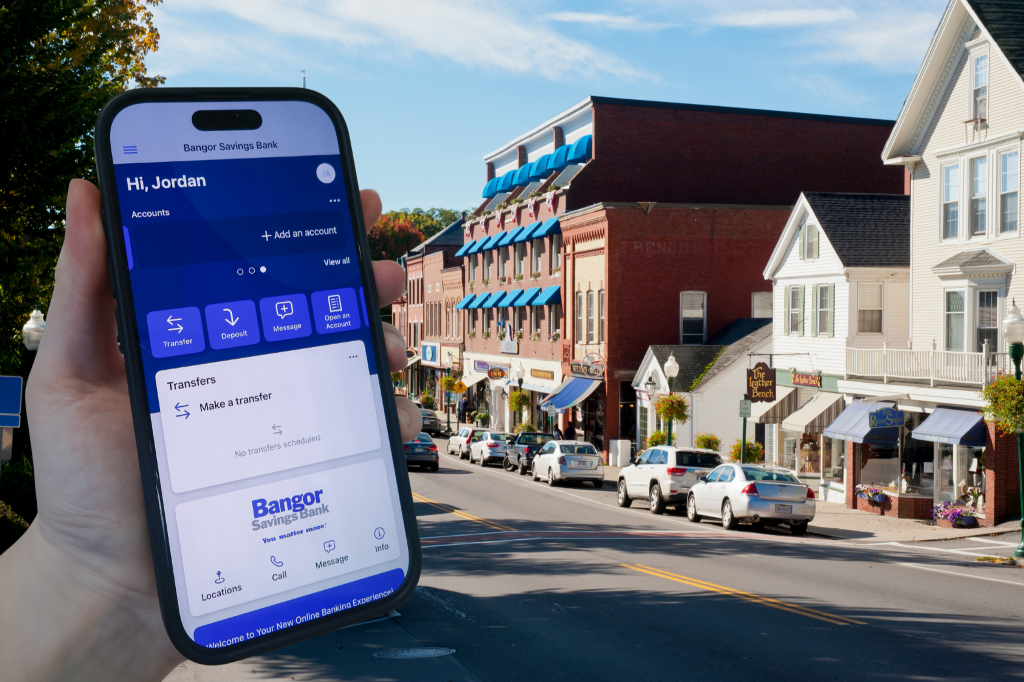
Bank on the Go!
The Bangor Savings Bank app lets you take charge of your money wherever you are. Simply sign in with your Bangor Online credentials to securely manage your Bangor Savings Bank accounts from your mobile device.
✓ Deposit checks
✓ Check your account balances and transaction history
✓ Transfer funds between your accounts
✓ Pay personal and business contacts with Send Money
✓ Make payments with Bill Pay