

Here are some best practices for traveling with your Bangor Savings Bank Debit Mastercard®, Debit Mastercard BusinessCard®, and everblue® Credit Cards out of state and around the world!
Set-up a Travel Alert: Before you leave town, log in to Bangor Online or our Bangor Savings Bank app and navigate to enter your travel information. If you do not have a Bangor Online account, you can enroll here or contact Bangor Support to set up a travel alert for your debit and credit cards to help minimize the risk of your card being declined, blocked or flagged for fraudulent activity.
As an everblue® Rewards Plus Business Credit Card holder, if you do not have access to Bangor Online or our Bangor Savings Bank app, you can also enjoy many card management features, including adding travel plans, by logging into your SpendTrack account.
- Log in to SpendTrack
- Navigate to 'Travel plans'
- Be Prepared: Travel with additional forms of payment, so in the event that your debit or credit card is lost, stolen, or damaged, you will be prepared.
- Use Your Chip & PIN: Whenever possible, insert your debit or credit card using the chip and entering your PIN for your debit card transactions. This helps ensure the validity of the charge.
- Save ATM Receipts & Utilize ATMs Worldwide for Free: Our debit card users receive free ATMs worldwide! As a reminder, for certain international ATM withdrawals, due to technical limitations, we will automatically reimburse $3.00 of an ATM fee charged within three (3) business days. In those instances where the fee exceeds $3.00, please save your ATM receipt and bring to any Bangor Savings Bank branch for the remaining reimbursement.
- Utilize Card Management & Alerts: Manage your Bangor Savings Bank debit cards and everblue Credit Cards with ease with our self-service Card Management and real-time alerts via Bangor Online and our Bangor Savings Bank app. Learn more here.
Update Contact Info
Staying connected with us and receiving important updates about your account(s) is easy. With a few simple clicks you can update your contact information. Simply log in to Bangor Online or the Bangor Savings Bank app and navigate to the menu, select 'Forms', and choose and complete the Update My Contact Information form.
If you do not have Bangor Online, you can enroll here or visit your local branch or contact Bangor Support.
Fraud & Security
Your security is our top priority. Using the latest technology, cutting-edge strategies, and a dedicated team, we’re working to protect you.
Contact Us
Support is available 24/7 at 1.877.226.4671 if your Debit or Credit Mastercard® is lost, stolen, or you suspect fraudulent transactions have occurred.
Bangor Support Business Hours
Monday – Friday: 7:00AM – 7:00PM
Saturday: 8:00AM – 2:00PM
Sunday: 9:00AM – 2:00PM
After-Hours Support
Call 1.833.637.0047 if your debit or credit card is lost, stolen, or you suspect fraudulent transactions have occurred outside of our business hours.
International Calls1
To contact Bangor Support while outside of the United States follow the steps below:
Dial the International Direct Dialing (IDD) number of the country you are in - International Direct Dialing (IDD) number resource
Dial 1 to dial into the US
Dial 207.990.6417
You will now be connected to a Bangor Support representative
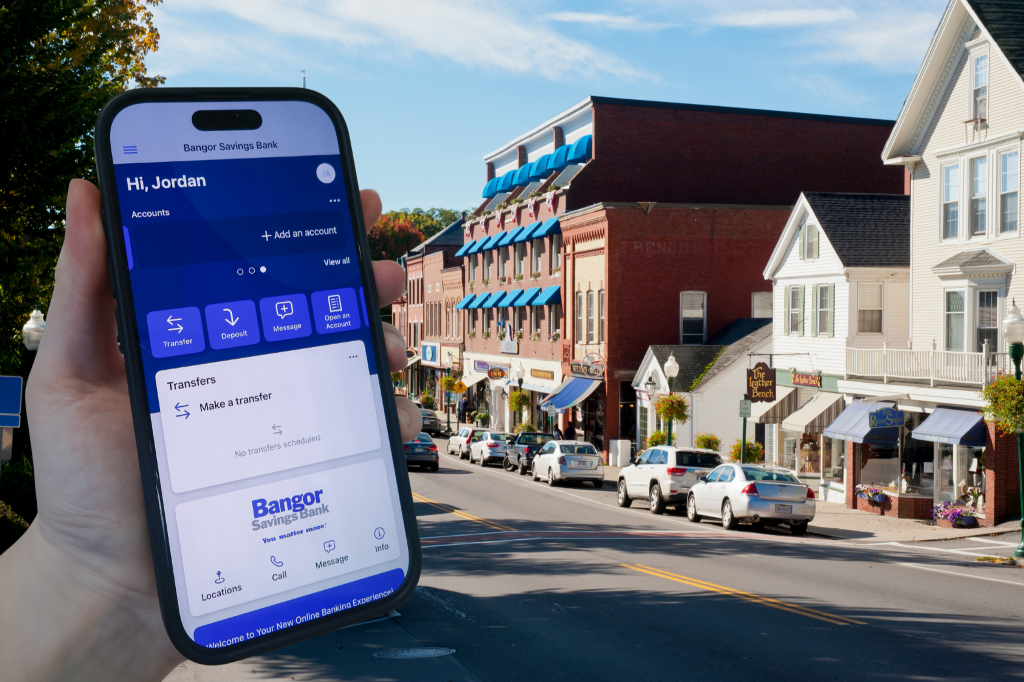
Bank on the Go!
The Bangor Savings Bank app lets you take charge of your money wherever you are. Simply sign in with your Bangor Online credentials to securely manage your Bangor Savings Bank accounts from your mobile device.
✓ Deposit checks
✓ Check your account balances and transaction history
✓ Transfer funds between your accounts
✓ Pay personal and business contacts with Send Money
✓ Make payments with Bill Pay